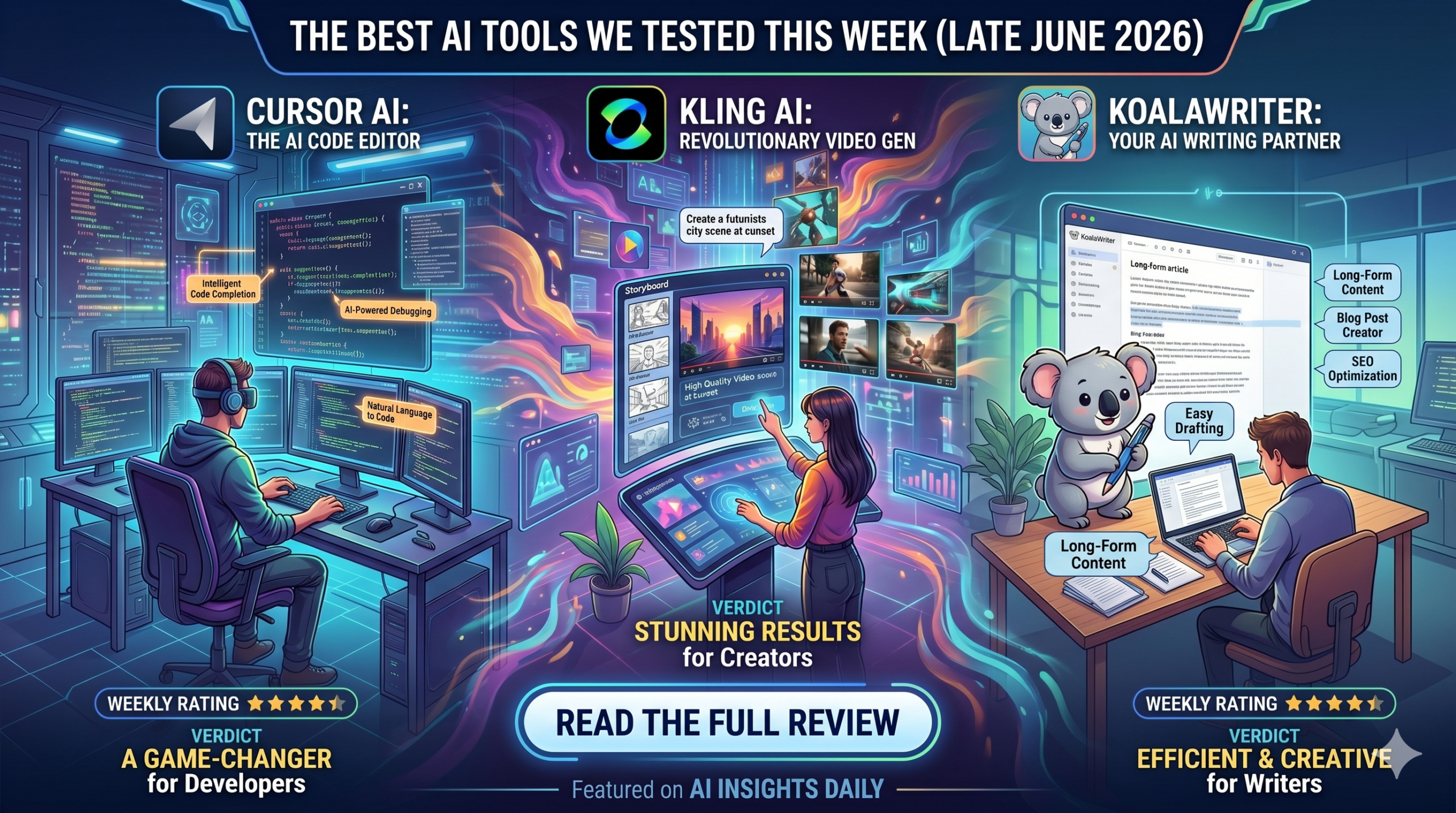

Looking for the best new AI tools to streamline your workflow? We tested the latest AI coding assistants, video generators, and SEO writers. Discover our top picks for June 2026.
The AI landscape is moving faster than ever. In the past week alone, we’ve seen major updates across video generation, autonomous coding, and programmatic SEO. But with hundreds of new tools launching on Product Hunt every day, separating the hype from the actual utility is exhausting.
To find the tools that actually justify a monthly subscription, our team spent 35 hours stress-testing the most talked-about AI platforms of the week. We ran them through real-world scenarios: building web components, generating cinematic B-roll, and ranking affiliate content. Whether you are a solo developer, a digital marketer, or a content creator, here are the top new AI tools that genuinely deserve your attention and money.
How We Tested
We do not regurgitate marketing copy. Every tool on this list was subjected to a standardized testing protocol:
- Workflow Integration: Does this tool seamlessly connect to existing ecosystems (VS Code, WordPress, Premiere), or does it force you into a clunky standalone browser app?
- Output Consistency: We ran the same prompts 10 times to measure the variance and reliability of the AI’s output.
- Value to Cost Ratio: Does the time saved objectively outweigh the monthly subscription cost?
1. Top Pick for Developers: Cursor (The “Agentic” Update)
Best For: Full-stack developers, software engineers, and founders who want an AI editor that actually understands their entire codebase.
Cursor isn’t entirely new, but their massive late-June 2026 update transformed it from a standard AI autocomplete tool into an autonomous coding agent. Built as a fork of VS Code, Cursor allows you to use cutting-edge models to write, refactor, and debug code across hundreds of files simultaneously.
Features
- Codebase Indexing: Cursor ingests your entire repository. You can ask, “Where is the authentication logic for the user login?” and it will pinpoint the exact files and functions.
- Multi-File Edits (Agentic Mode): Instead of generating code you have to copy-paste, Cursor can now autonomously open files, write the code, and run terminal commands to install necessary dependencies.
- One-Click Migration: Because it is a VS Code fork, all your extensions, themes, and keybindings port over instantly.
Pros & Cons
Pros:
- Drastically reduces debugging time by analyzing terminal errors in the context of your specific files.
- Zero friction to switch from VS Code.
- Privacy mode ensures your proprietary code is never used to train their models.
Cons:
- Heavily reliant on fast internet, the UI can lag if API latency spikes.
- The “Agentic” mode occasionally overwrites custom CSS if instructions aren’t hyper-specific.
Pricing
- Basic: Free (Limited high-speed requests).
- Pro: $20/month (Unlimited standard requests, 500 fast premium model requests).
- Business: $40/user/month (Centralized billing, advanced privacy controls).
Alternatives
- GitHub Copilot Workspace: Better for enterprise teams deeply embedded in the Microsoft/GitHub ecosystem, but less autonomous.
- Supermaven: Offers an incredibly large context window and faster autocomplete, but lacks the sophisticated multi-file chat UI.
Verdict
If you write code for a living, Cursor Pro is the best $20 you can spend this month. It completely outclasses standard GitHub Copilot by actually understanding how your frontend components wire into your backend databases.
[👉 Click Here to Try Cursor Pro and Supercharge Your Coding Speed Today! ](Insert Affiliate Link)
2. Top Pick for Video Creators: Kling AI (Global Release)
Best For: Video editors, YouTube creators, and digital marketers needing ultra-realistic B-roll and cinematic sequences without hiring a camera crew.
Following the hype of OpenAI’s Sora, Kling AI recently dropped its global access tier, and our testing shows it is currently the most accessible, high-fidelity AI video generator on the market. It specializes in hyper-realistic physics and complex human motion.
Features
- Extended Generation: Generates up to 10 seconds of high-definition video per prompt, with the ability to “extend” clips up to 2 minutes.
- Complex Physics Simulation: Unlike older tools, where objects morph together, Kling accurately simulates reflections, fluid dynamics, and fabric movement.
- Camera Control: Advanced cinematic controls allow you to dictate pan, tilt, zoom, and even virtual lens focal lengths.
Pros & Cons
Pros:
- Currently leads the market in rendering realistic human faces and walking mechanics.
- The web interface is highly intuitive and requires no Discord bot commands (unlike Midjourney).
- Excellent handling of complex lighting scenarios (e.g., neon reflections on wet pavement).
Cons:
- Generation times can be slow during peak hours (often taking 3-5 minutes per clip).
- Requires precise, highly descriptive prompting to avoid generic, “stock footage” looking results.
Pricing
- Standard: $15/month (Generates roughly 50 high-def clips).
- Pro: $35/month (Priority queue, up to 1080p rendering, commercial rights).
Alternatives
- Runway Gen-3 Alpha: Faster generation times and better stylized animation, but slightly less realistic physics.
- Luma Dream Machine: Excellent for generating video directly from a single reference image, though shorter base clips.
Verdict
For marketers and creators who need B-roll, Kling AI is a production studio in your browser. The Pro tier pays for itself the first time you don’t have to buy a $100 stock video clip from Getty or Shutterstock.
[👉 Start Generating Cinematic Video with Kling AI Right Here! ](Insert Affiliate Link)
3. Top Pick for Bloggers: KoalaWriter (V3 Engine)
Best For: Affiliate marketers, niche site owners, and content managers looking to scale SEO-optimized blog posts without sacrificing human quality.
Most AI writers sound like robots. KoalaWriter’s newest V3 update caught our attention because it actively analyzes the current Google SERP (Search Engine Results Page) before it writes a single word, ensuring your article matches the actual search intent.
Features
- Live SERP Analysis: Scrapes the top 10 ranking articles for your target keyword to identify missing content gaps.
- Real-Time Data Integration: Bypasses LLM knowledge cut-offs by searching the live web for current pricing, product specs, and recent news.
- One-Click CMS Publishing: Posts formatted, SEO-optimized drafts directly to your WordPress or Webflow site, complete with AI-generated featured images.
Pros & Cons
Pros:
- Produces the most natural-sounding, “human” text of any AI writer we tested.
- Automatically includes formatting that Google loves: tables, bullet points, and bolded keywords.
- Incredible time-saver for setting up product roundups and comparison articles.
Cons:
- The credit system can be confusing; longer articles burn through your monthly limit quickly.
- Still requires human editing to ensure absolute factual accuracy, especially for nuanced affiliate products.
Pricing
- Essentials: $25/month (45,000 words).
- Scale: $99/month (250,000 words + API access).
Alternatives
- Surfer AI: Better for pure SEO optimization and keyword density, but much more expensive.
- Jasper: Better for short-form copy (social media ads, emails) rather than long-form SEO articles.
Verdict
If you are running affiliate sites or niche blogs, KoalaWriter V3 is the gold standard for AI drafting. It bridges the gap between raw AI generation and actionable SEO strategy.
[👉 Scale Your SEO Traffic Today! Click Here to Get Started with KoalaWriter. ](Insert Affiliate Link)
FAQ: June 2026 AI Landscape
Are AI coding assistants safe for proprietary code?
Yes, but you must check your settings. Tools like Cursor Pro offer strict “Privacy Modes” that guarantee your codebase is never stored on their servers or used to train future foundation models. Never use a free AI tier for proprietary company code.
Will Google penalize AI-generated articles from tools like KoalaWriter?
Google’s official policy states they penalize spam, not AI. If you use KoalaWriter to generate 500 low-quality articles a day, you will be penalized. If you use it to draft a highly informative, well-structured article that you manually edit and verify, it ranks perfectly well.
Can I use Kling AI videos for commercial purposes?
Yes, but typically only if you are on a paid subscription tier. Free tiers usually come with watermarks and strictly non-commercial licensing. Always read the specific terms of service.